
AI chatbot
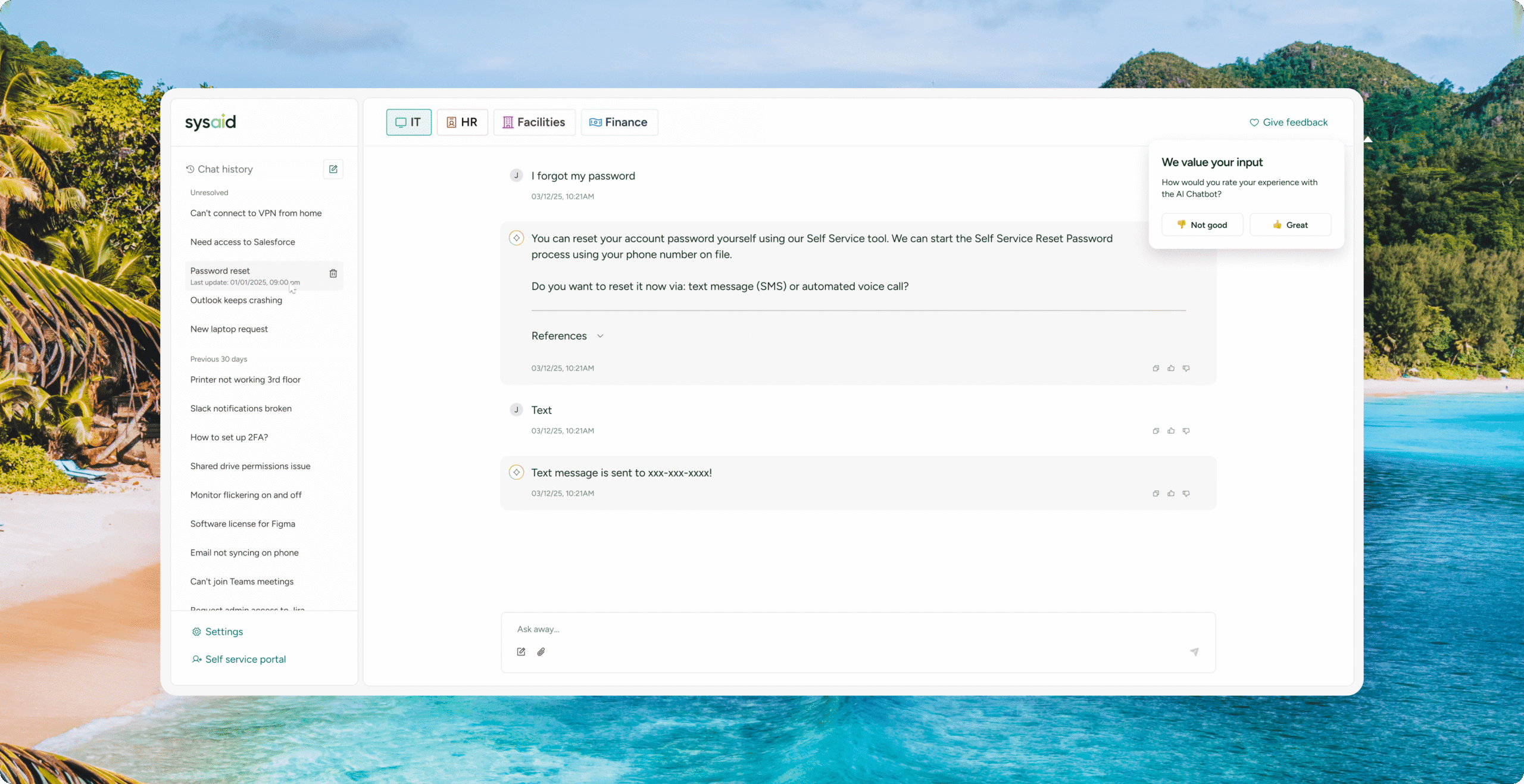
Ask, get the issue resolved, or log a ticket.

SELF-SERVICE EXPERIENCE
Empower employees to resolve their own issues
Give employees one AI chatbot that understands their needs and resolves issues instantly in their own words and language, across the self-service portal, Microsoft Teams, and email. Fewer tickets, faster help, and less work for IT.
80%
avg. AI engaged SRs
68%
avg. AI resolved SRs
89%
first-time fix rate
1.11M
tickets handled monthly
Ask. Resolve. Move on.
INSTANT RESOLUTION
Get it fixed, not stuck in a queue
Routine requests get resolved the moment they’re asked, without pulling in a human. Fewer tickets reach your team, so they can focus on tickets that need them.

MULTILINGUAL SUPPORT
Get help in any language
Employees ask for help in their own language and get answers in the same one. Everyone gets the same fast support, without language getting in the way.
IMAGE ANALYSIS
Show the problem, get the answer
Some issues are easier to show than explain. Employees share a screenshot, and AI reads the details, errors and all, to understand the problem and help solve it.
FEEDBACK LOOP
Get smarter with every interaction
Every interaction makes the next one better. AI learns from your service desk data and feedback, so answers keep getting sharper, more relevant, and more useful over time.
EMPLOYEE EXPERIENCE
Meet employees where they work
Self-service fits right into how employees already ask for help, across email, Microsoft Teams, and AI Chatbot. No complex tool to learn, just an easier way to get support.
Ask, get the issue resolved, or log a ticket.
Reset passwords, run diagnostics, and more.
Categorize and label tickets.
Analyze uploaded images to identify issues.
Ask and get help in your own language.
Build a catalog that fits your teams.
FAQ
An AI self-service experience resolves IT issues through conversation. Employees describe the problem in plain language, and SysAid handles categorization, routing, and common fixes across the AI chatbot, Self-Service Portal, Microsoft Teams, or email.
Employees describe the issue in plain language, and built-in AI agents instantly handle common requests like password resets and device diagnostics. For everything else, it suggests resolutions from past tickets and your knowledge base, then categorizes and fills in the ticket so it reaches your team ready to work.
Yes. Your employees ask in whatever language they work in, and the chatbot answers back in that same language, regardless of which language the agent handling the ticket speaks. Support quality never depends on a lucky language match.
A traditional portal relies on employees browsing a knowledge base or filling out a form. Yours replaces that with a conversational chatbot that understands plain language, reads screenshots, resolves common requests instantly, and gets sharper with every interaction.
No. It resolves routine, repetitive requests like password resets on the spot, so your IT agents stop handling the same five-minute fix all day. Tickets that do need a human still reach your queue, already categorized and filled in, so your agents start on the actual problem.

